01. SCALES
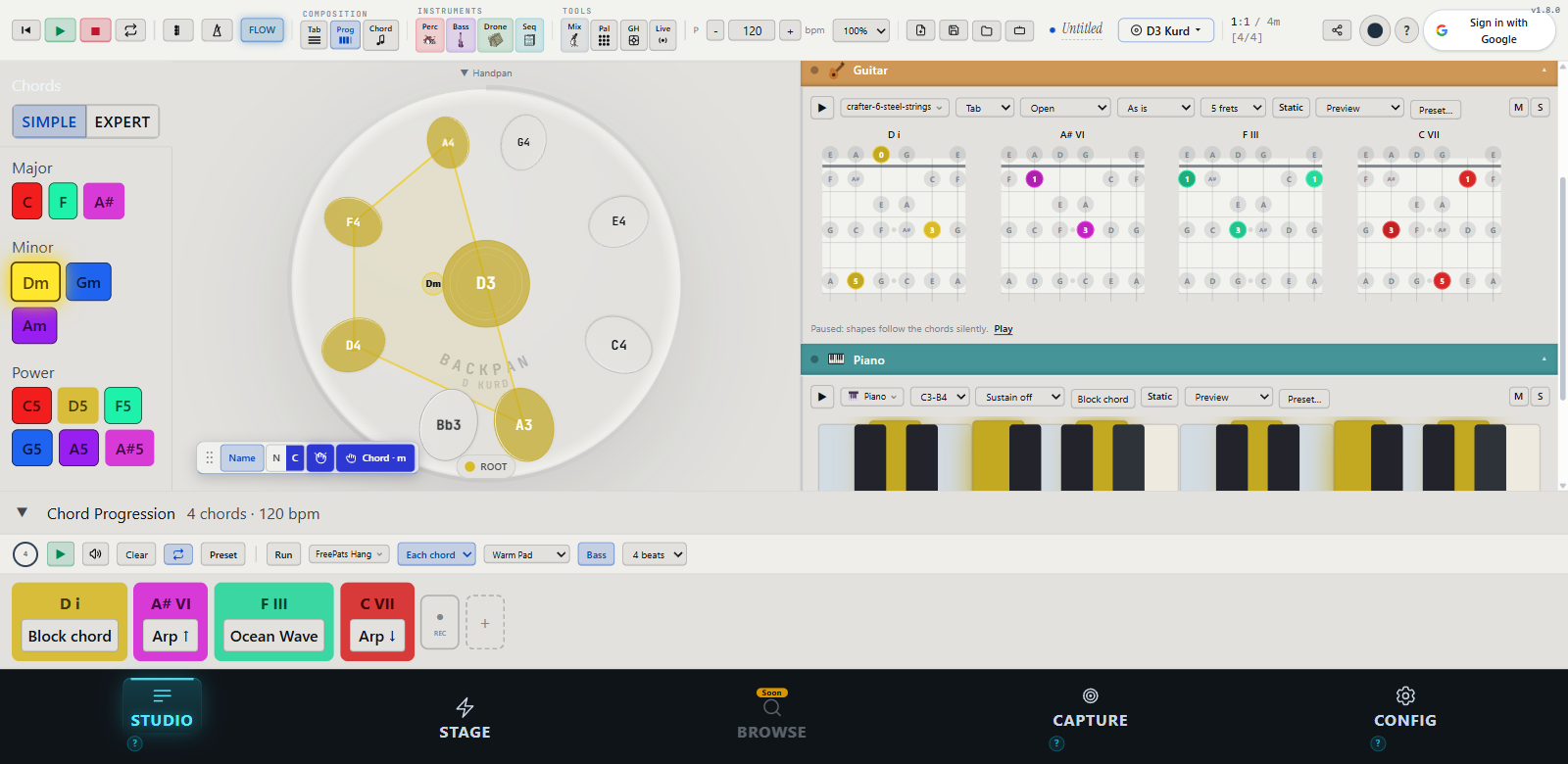
20 scales, one tap.
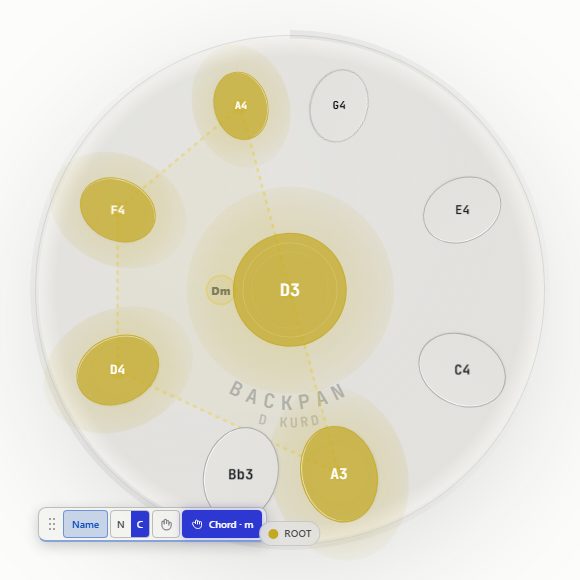
From D Kurd to Celtic Minor, from Hijaz to Akebono. Switch tuning in a tap: every note lands true, the fingering stays familiar.
BACKTRACK · BACKPACK · HANDPAN
Live in private beta. Tutorial coming soon
You set the chords on your pan: 98 instruments follow, in your scale, at your tempo. Shape every layer, record, share the loop as a link.
3,146 samples20 scales72 progressionshandpans coming : ∞
growing with every player
No app to install, no desktop needed. Backpan runs in your phone browser, so your handpan, your loops and your recordings follow you anywhere: a park bench, a festival, the train home.
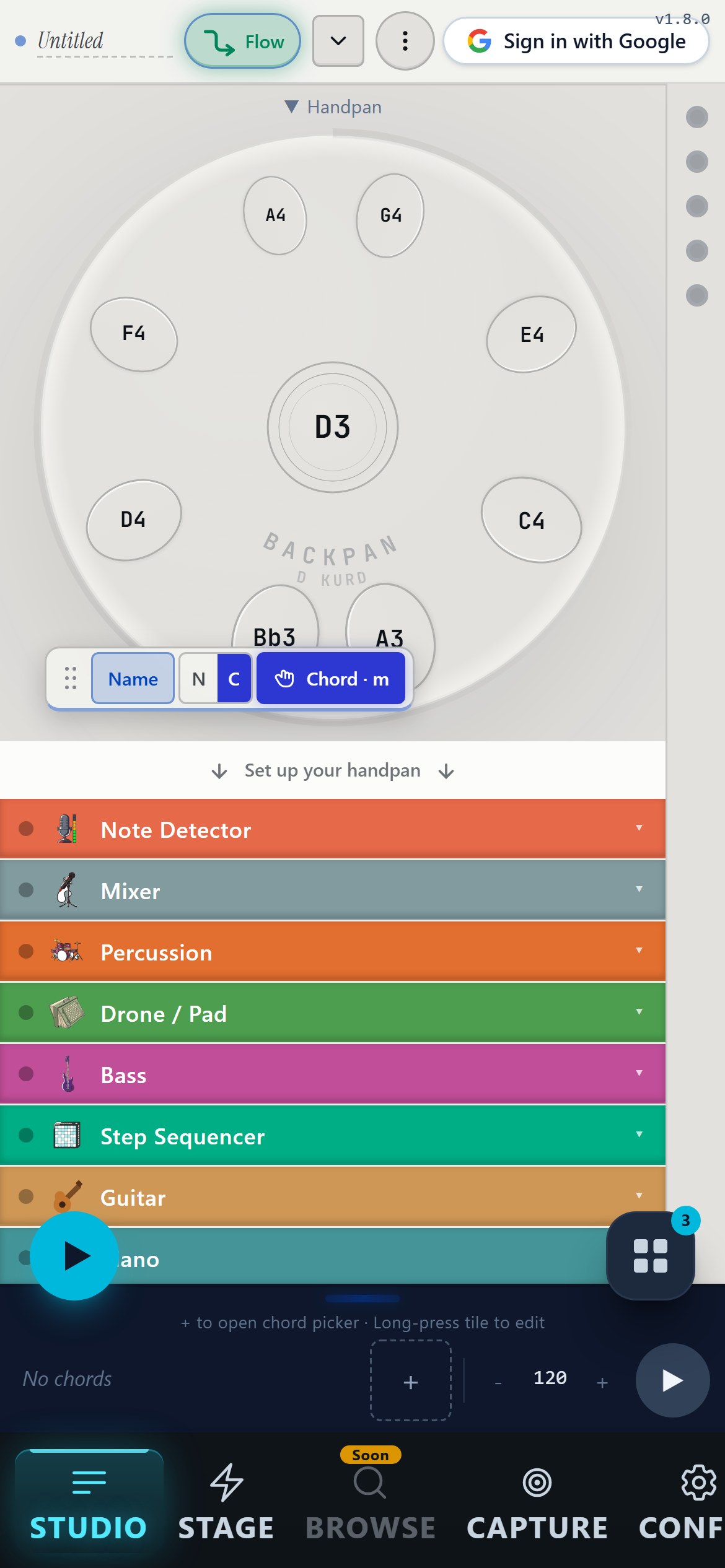
The name says the plan. Backing tracks for your handpan, packed to travel: Backpan.
The same studio, laid out for a phone in your hand. Tap the pan: your loop speaks guitar and piano too.
Tap to play
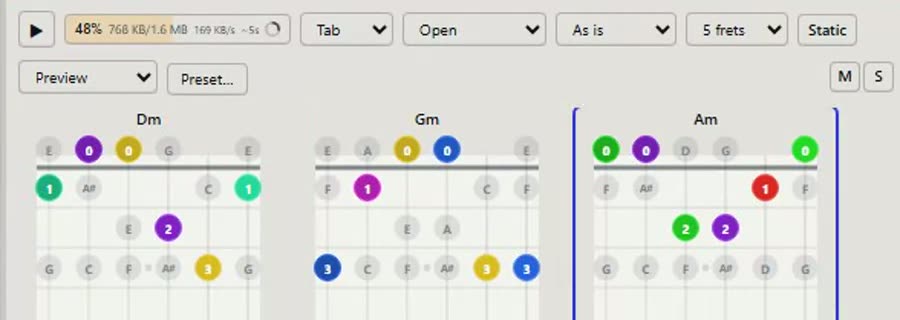
Play it on guitar
Play it on piano
The whole studio comes along.
Switch your tuning
Pick an atmosphere
Draw a beat
Share it as a link
I wanted one tool that does what I actually need when I sit down with my handpan. Not ten tools. One. So I built it.
From D Kurd to Celtic Minor, from Hijaz to Akebono. Switch tuning in a tap: every note lands true, the fingering stays familiar.
Draw a pattern and it plays back live: bossa, African polyrhythms, zen grooves, Latin swing. Kits that follow your playing instead of constraining it.
A melody born on handpan travels to kalimba, tongue drum, or piano. Share your compositions: others replay them on their own instrument.
Play a few notes in front of the microphone: the app hears them, finds your scale and lays out the right pan on screen. No setup, no manual.
Capture each note of your instrument once. From then on, the app plays back with YOUR pan's timbre: your loops sound like you.
If you don't know where to start, load a flow. It's just my favorite setup for that mood: scale, chords, percussion, bass. You tweak everything from there.
+ 25 more flows in the studio
Even if they don't play handpan. Backpan speaks guitar and piano too: same beat, different instruments.
The fretboard writes your chords as tabs, live and in tempo. You keep playing the pan; they strum the same progression.
The keyboard lights the exact keys of every chord you place. They follow on their real piano, same key, same time.
One link carries the whole loop. It opens in their studio, transposed for their pan and their scale.
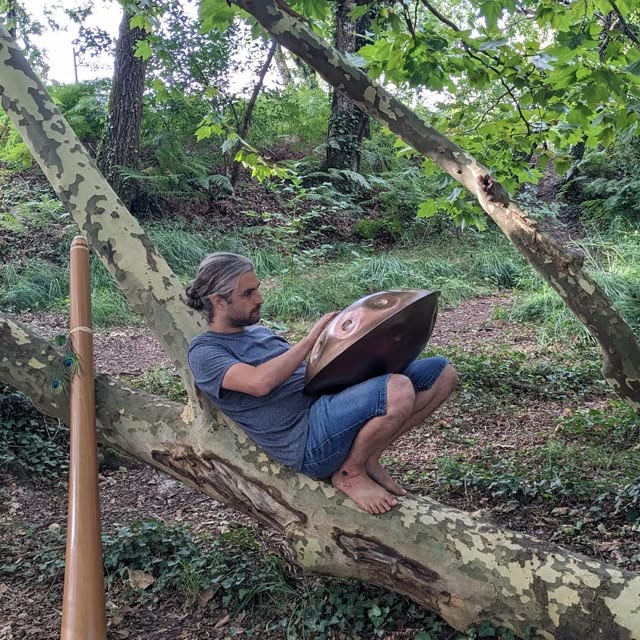
Melotonine · Bordeaux
Fifteen years building software, four years playing handpan, and a few students along the way. None of the tools out there matched the way I play or teach, so I built the one that does.
Think of it as a pocket handpan studio that lives in your phone browser. You pick a scale, tap notes on a handpan layout, and a bass, drone and percussion track lock in behind you so it sounds like a small ensemble instead of a solo loop. If you don't own a real handpan, the on-screen one is fully playable, and anything you compose can swap over to kalimba, vibraphone or marimba with one tap.
Nope, no physical instrument required. The on-screen handpan uses real Freepats samples and is fully playable on its own, plus you've got 20 scales and 8-21 note layouts to mess with. Folks who own a handpan tend to use Backpan for the bass/drone/percussion backing tracks, but plenty of users just play the touchscreen pan and never touch a real one.
Should be fine. There are 20 scales in the picker (Kurd, Celtic, Pygmy, Hijaz, Akebono, Integral, La Sirena, the pentatonics, a few modes, etc.) and you pick any tonic from there, so D Celtic is just two dropdowns. Note count is flexible too, anywhere from 8 to 21, since the layout gets computed on the fly rather than loaded from a fixed template. Samples are real handpan recordings from the Freepats CC0 set.
Genuinely free during the private beta. No ads, no paywall, nothing locked behind an upgrade. Down the road I'm planning a patronage tier for folks who want to chip in, but I haven't pinned down what that looks like yet. Everything that's in the app right now (the 20 scales, 98 instruments, recording, sharing, multi-track) stays free either way.
Most apps ship a fixed list of scales and stop at letting you tap notes. The layout here is generated, so you pick any tonic and scale from 20 options at 8-21 notes. The bigger gap is the backing track side: percussion, bass, drone, chords, and melody all play together instead of just looping a scale. It also runs in a mobile browser with real recorded samples (Freepats CC0), and the same composition can replay on kalimba, vibraphone, or marimba if you want to hear it on something else.
Audio recording works today and captures all four synced tracks (handpan, bass, drone, percussion). Sharing is link-based right now, so the URL encodes your setup and your friend opens the same patch on their phone. The selfie-video overlay where you film yourself with the visual pan layered on top is on the roadmap for an upcoming release, but it's not shipped yet, just the audio side for now.
That's basically who I built the default setup for. It opens in D Kurd 9, which is a tuning where every note sounds good with every other note, so tapping around randomly already sounds musical. If you want a bit more structure, the melody presets like Greensleeves or Sakura work as tap-along tutorials, and the colored notes help you spot patterns without needing to read anything.
Mostly yes, as long as you've loaded it once on wifi first. The handpan and percussion stay cached in your browser, so they'll play fine offline. The only catch is some of the backtrack instruments like kalimba or marimba might need a quick reconnect to pull their samples. There's no proper PWA install yet.
7/8 is the easiest path: load the Karsilama flow and you're already in a Turkish/Balkan 7. For 5/4 or anything else odd, just edit the percussion pattern length to however many steps you need; the bass and drone lock to the same bar so they conform automatically. Heads up that a polyrhythm visualizer (3:2, 4:3, additive stuff) is on the roadmap but not shipped yet.
That's actually one of the core ideas. We store the notes you played, not the handpan timbre, so you tap the instrument slot and the same composition comes out on kalimba, vibraphone, marimba, mbira, whatever you pick from the 98. Same melody, totally different mood in about a second.
No app to install. It's just a web page, so open the URL in Chrome, Safari, Firefox, or Edge and you're in. It's built mobile-first for a phone in landscape, but desktop and tablet work fine too. On desktop you get more screen space and can use the keyboard alongside the mouse.
You can dig into polyrhythms today, just without the visual aid yet. Set two tracks to mismatched pattern lengths and they'll lock against each other on the shared master clock: a 3-step bass against a 4-step percussion gives you 3:4 looping naturally over 12 steps, and the 7/8 Karsilama flow is already in there if you want a non-trivial meter to study. The dedicated 3:2 / 4:3 / additive visualizer (ported from what XronoMorph does on desktop) is on the roadmap but not shipped, so for now it's an ear-and-counting exercise rather than a visual one.
Something new most weeks, shaped by the players already in the beta.
Drop your email. We'll let you know the moment your instrument is ready, and you help shape Backpan with us.